Last updated
Editor sidebar
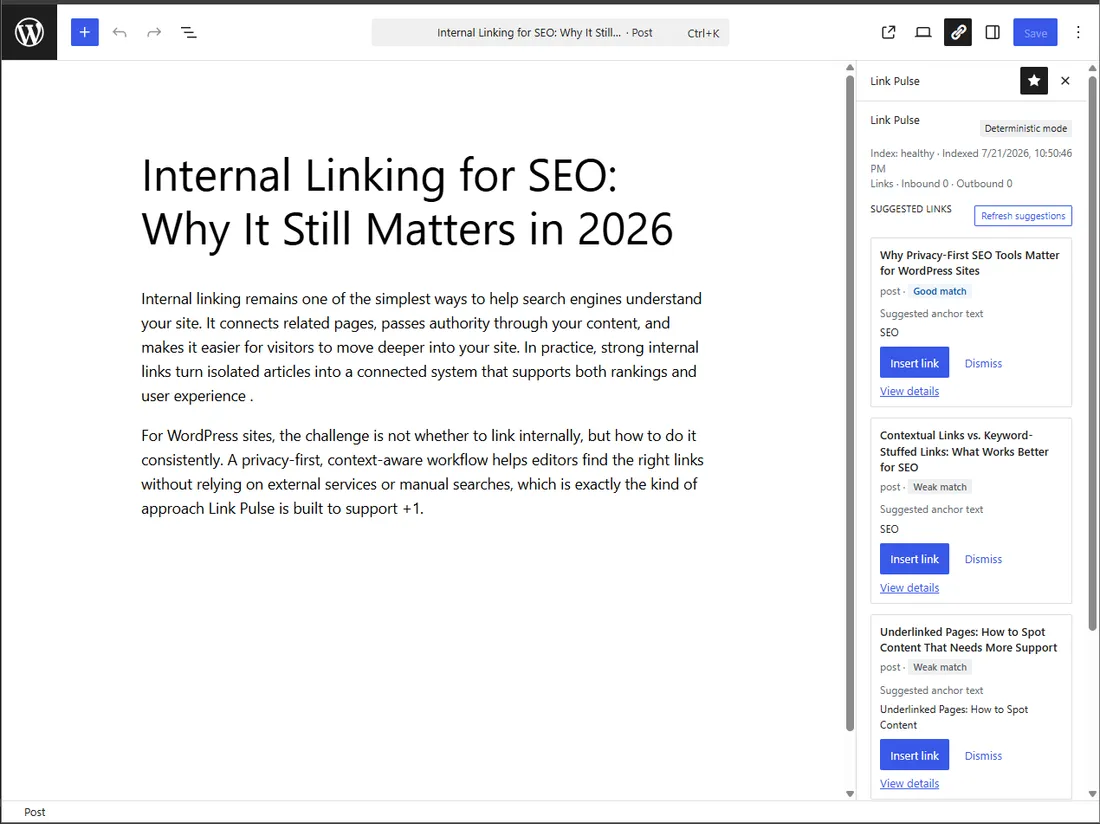
The Link Pulse sidebar is a Gutenberg PluginSidebar. It appears while you edit a post type that is in scope for indexing.
Anatomy
Header
Product name, mode badge, and refresh.
Status strip
Index freshness for the site — for example, when the index last completed.
Link summary
Inbound and outbound internal link counts for the current post.
Suggestion list
Ranked candidates. Each row shows a match score and a match strength badge (Strong, Good, Fair, or Weak).
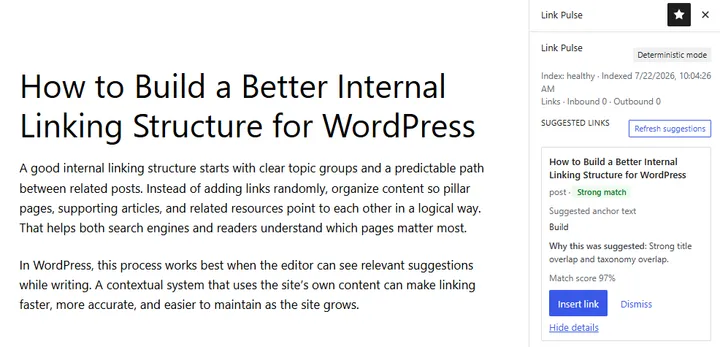
Expanded suggestion
Open View details on a suggestion to see the contributing signals and the match score breakdown.
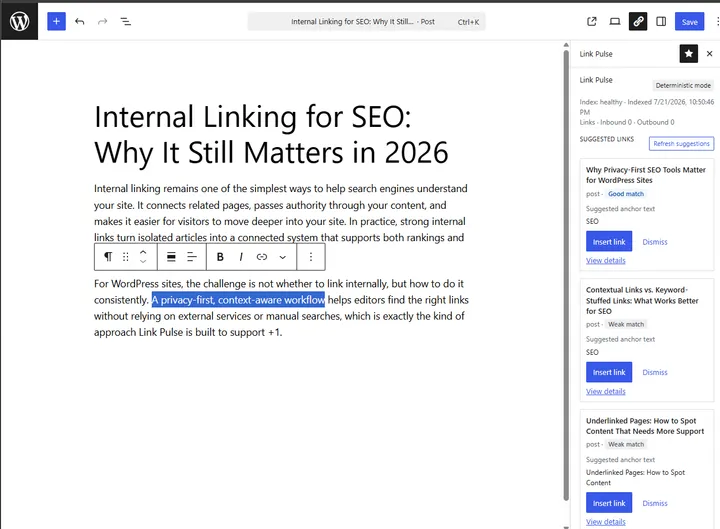
Insert and anchor text
Insert places an internal link into the editor. You choose or confirm anchor text before the link is written into the post.
Dismiss
Dismissals persist for that post. Refreshing the suggestion list does not bring a dismissed target back.
States you will see
| State | Meaning |
|---|---|
| Loading | Suggestions are being fetched from the local index. |
| Ready | Ranked suggestions are available. |
| Empty | No eligible candidates. Causes: the index has not run, the post is excluded, or every useful candidate was dismissed. |
| Error | The sidebar could not load suggestions; check troubleshooting. |
The empty state is not an error. Confirm the first index finished, that the post type is in scope, and that the post is not excluded.
Free never shows an upgrade prompt in the sidebar.
See also: Quick start, How ranking works, Features.