Last updated
Installation
Requirements
Before you install, confirm:
- WordPress 6.6 or later
- PHP 7.4 or later
- The block editor (Gutenberg). Classic editor is not supported.
- Per-site activation. Network activation on multisite is not supported.
These match the plugin headers. If they ever disagree, the plugin readme.txt is right.
Install
From WordPress.org
When the directory listing is live: in wp-admin go to Plugins → Add New, search for Link Pulse, install, and activate on a single site.
From a ZIP
- Download the Free ZIP from the download page.
- In wp-admin go to Plugins → Add New → Upload Plugin.
- Choose the ZIP and install.
- Activate on a single site — not network-wide.
Run the first index
After activation, open Link Pulse in the admin. Start the first index from the dashboard.
Indexing runs as a background job, not during page loads. On a site with a few hundred published posts and pages, the first run finishes in minutes. Larger sites take longer; the job continues in the background while you work elsewhere in the admin.
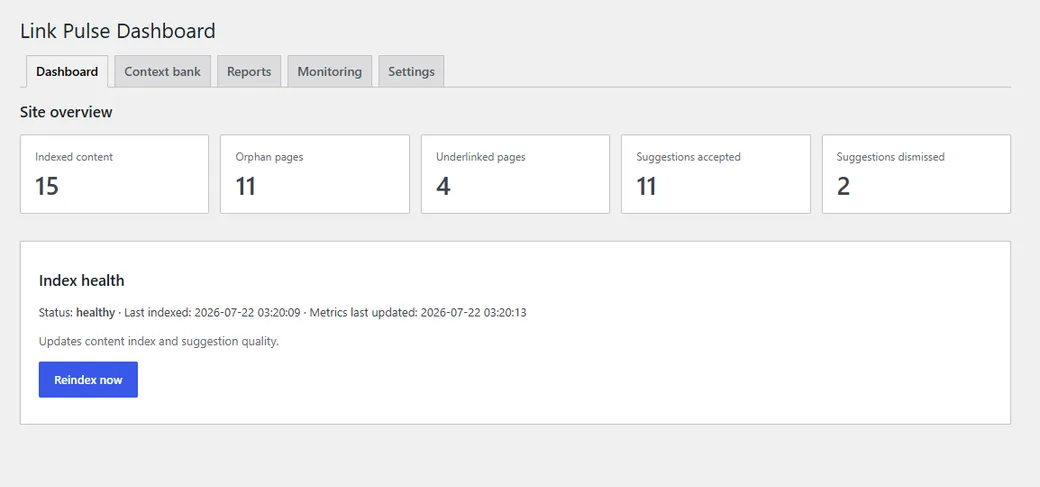
Job status updates on the dashboard while the index runs. When it finishes, the index is ready for the editor sidebar and reports.
What is not supported
- Classic editor — suggestions appear only in the block editor.
- Network activation — per-site only; network activation is refused with a notice.
- Custom post types on Free — Free indexes
postandpageonly.
Next: Quick start — first inserted link — or Context bank if you want to control what gets indexed first.