Last updated
Quick start
Before you start
Install and activate Link Pulse, then run the first index — see Installation. The sidebar cannot suggest targets until the index has finished.
Open a post
- Open an existing published post or page in the block editor.
- Open the Link Pulse sidebar (PluginSidebar in the editor).
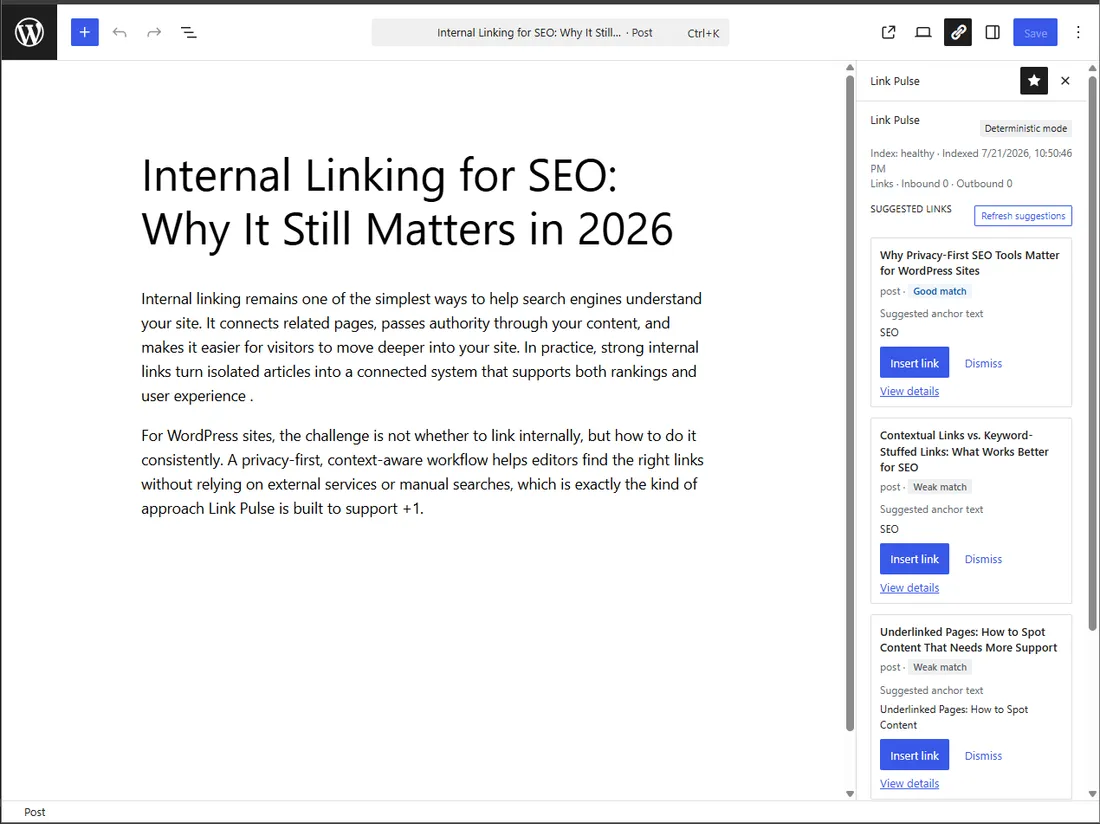
Read a suggestion
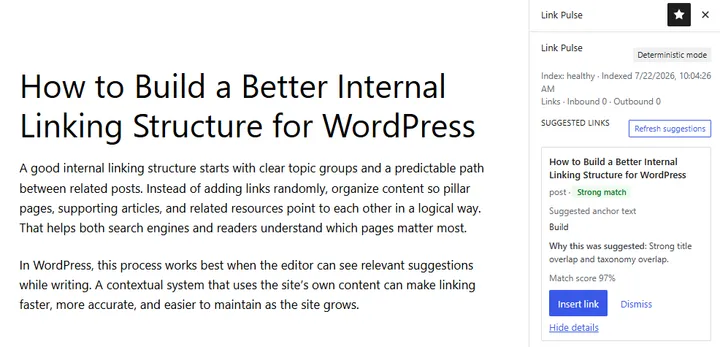
Each suggestion shows a match score and a match strength badge (Strong, Good, Fair, or Weak).
Expand a suggestion (View details) to see which signals contributed. That breakdown is the same model documented in How ranking works.
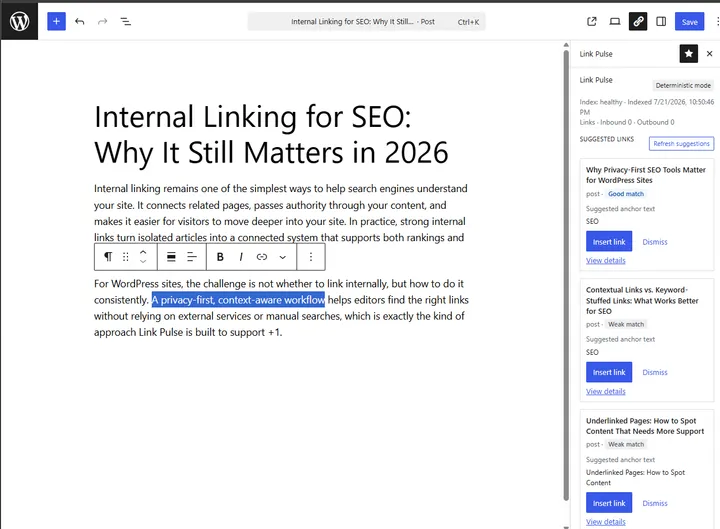
Insert a link
- Choose a suggestion.
- Pick or confirm the anchor text.
- Insert the link into the post.
Dismiss
Dismiss removes a suggestion for that post and persists. Dismissed targets do not reappear on the next open of the same post after a refresh of the list.
What to change next
Begin by controlling what gets indexed. Open the context bank to exclude utility pages and register custom fields (Free: up to three, include-in-index only).